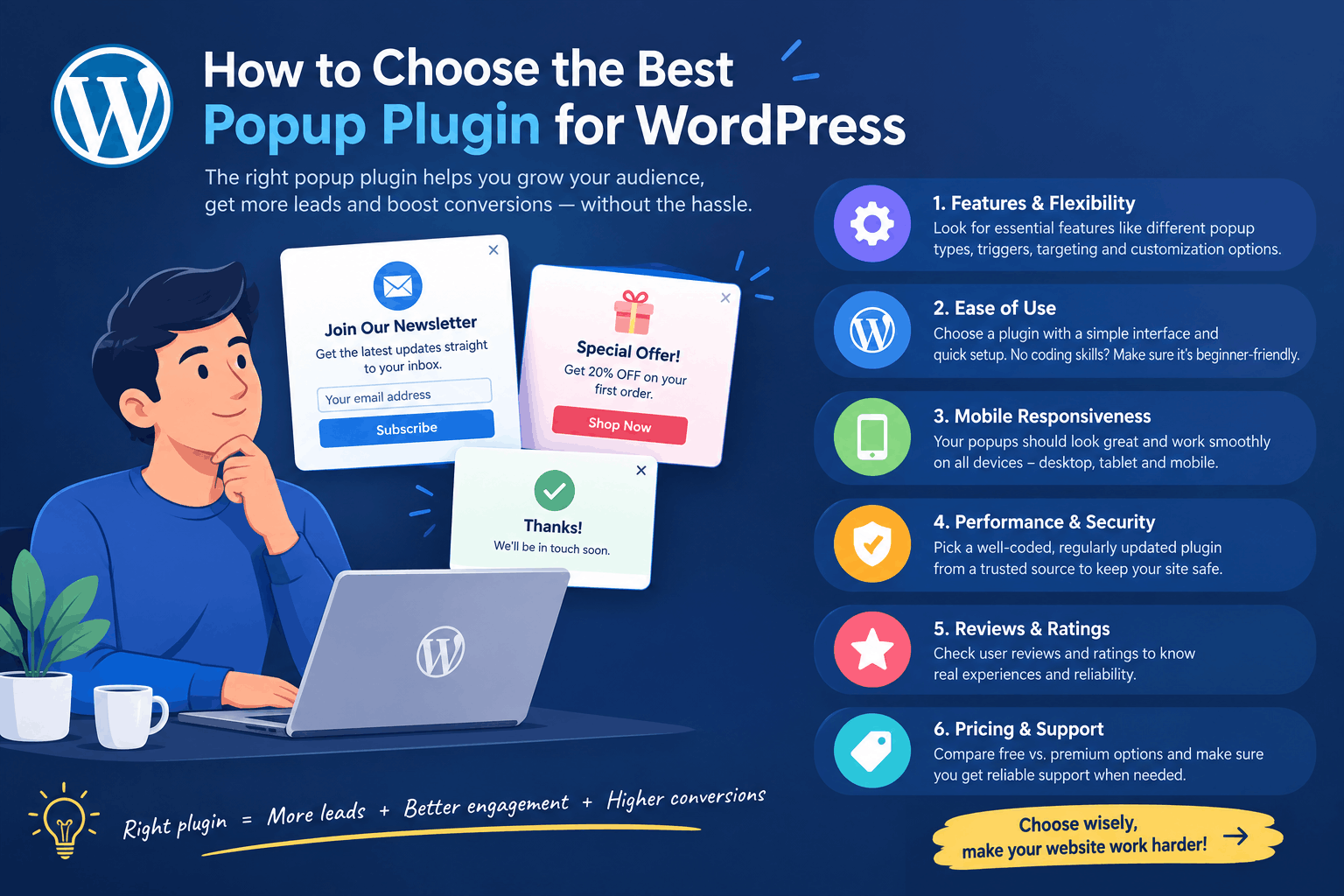
Why the Right Popup Plugin Actually Matters
If you’ve ever installed a popup plugin on your WordPress site, you already know the problem. Half of them slow your pages down. The other half bury the useful features behind a paywall the moment you try to do something as simple as export a lead.
So, before you install the first plugin that shows up in a Google search, it helps to know what you’re actually looking for. That’s exactly what this guide covers — how to choose a popup plugin for WordPress that helps you grow your list, instead of getting in the way of it.
What to Look For When Choosing a Popup Plugin
1. Page Speed
This is the one people forget until it’s too late. A heavy popup plugin can quietly drag down your Core Web Vitals, and that affects both user experience and your search rankings. So before installing anything, check whether the plugin is genuinely lightweight or loaded with scripts you’ll never use.
2. What’s Actually Free
A lot of plugins market themselves as “free,” yet lock the features you actually need — email notifications, exit-intent triggers, lead export — behind a paid plan. In other words, read the fine print before assuming “free” really means free.
3. Where Your Leads Are Stored
This matters more than most people think. Some popup plugins send your leads straight to a third-party server rather than keeping them in your own WordPress database. If data ownership and privacy matter to your business, it’s worth checking this early, not after you’ve already collected a hundred leads.
4. Mobile Experience
A big chunk of your traffic is coming from a phone, so this isn’t optional anymore. If the popup takes over the whole screen or is hard to close on mobile, you’ll lose visitors faster than you gain leads. Look for a plugin that’s built mobile-first, rather than one that just “works okay” on smaller screens.
5. Setup Time
You shouldn’t need a developer to get a popup live. If the plugin takes an hour of drag-and-drop building before you see any result, that’s usually a sign it’s more complicated than what your site actually needs.
6. Trigger Options
A good popup plugin lets you control when the popup appears — after a time delay, on scroll, or on exit intent — instead of firing the second someone lands on your page. After all, timing affects conversions far more than design does.
7. Lead Management
Collecting an email is only half the job. Can you view your leads in one place? Can you export them as a CSV and move them into your CRM or email tool? If not, you’re really just collecting data you can’t do anything with.
A Quick Look at the Options
If you’d rather compare a few popup plugins side by side before deciding, this breakdown of popup plugin options for WordPress is a good starting point. And for a wider list of free tools, this roundup of free lead generation plugins for WordPress is worth a look too.
Why Use Gracewell LeadForge
Once you run through the checklist above, one plugin that consistently checks every box is Gracewell LeadForge — and here’s why it’s worth your attention.
- It’s free, without the catch. Most “free” popup plugins hold something back. LeadForge doesn’t. Form customization, email alerts, lead dashboard, CSV export — all of it is included, with no “Pro” tier hiding behind a paywall.
- It keeps your data where it belongs. Instead of routing your leads through a third-party server, LeadForge stores everything directly in your own WordPress database. That means you own your data completely.
- It’s fast, and it stays out of the way. A lot of popup plugins add unnecessary bulk to your site. LeadForge is built to be lightweight, so it won’t hurt your page speed or your Core Web Vitals.
- It’s genuinely easy to set up. No developer, no drag-and-drop builder eating up your afternoon. Install it, turn on the fields you need, set your trigger, and you’re live in a few minutes.
- It works the same everywhere. Whether someone’s visiting from a laptop or a phone, the popup looks clean and functions properly.
Put all of that together, and it’s easy to see why LeadForge has become one of the best popup plugins for WordPress users who want results without the usual overhead.
How It Compares
Rather than just taking our word for it, here’s how Gracewell LeadForge holds up against the popup plugins most people end up comparing it to:
| Feature | Gracewell LeadForge (Free) | OptinMonster (Paid) | Popup Maker (Freemium) | Sumo (Freemium) |
|---|---|---|---|---|
| Cost | 100% Free | From $9/mo | Free + Paid Add-ons | Free + $39/mo Pro |
| Time Delay Trigger | Yes | Yes | Yes | Yes |
| Cookie Suppression | Yes | Yes | Paid Only | Yes |
| Lead Stored in Your Own Database | Yes | No (3rd Party) | Paid Only | No |
| CSV Export | Yes | Paid Only | Paid Only | Yes |
| Email Notifications | Yes | Yes | Paid Only | Paid Only |
| Mobile Responsive | Yes | Yes | Yes | Yes |
| Custom Form Fields | Yes | Yes | Paid Only | Limited |
| No Third-Party Data Sharing | Yes | No | No | No |
| Setup Time | Under 5 Minutes | 30–60 Minutes | 15–30 Minutes | 15–30 Minutes |
Look down that list, and a pattern shows up pretty quickly: the paid and freemium tools tend to make you choose between features and cost, while LeadForge just doesn’t ask you to trade one for the other. That’s really the whole case for it, laid out in one place.
Ready to try it yourself? Gracewell LeadForge is free to install and takes under 5 minutes to set up.
One of the Best Free Popup Plugins for WordPress
Here’s the thing — there’s no shortage of popup plugins in the WordPress ecosystem. So what actually separates the good ones from the rest? Usually it comes down to a handful of things: honest pricing, real privacy, decent speed, and a lead management system that doesn’t feel like an afterthought.
Gracewell LeadForge checks all of those boxes at once, which is fairly rare. Most tools trade off one for another — a plugin that’s fast but limited, or feature-rich but bloated, or free but with data privacy concerns baked in. LeadForge manages to avoid most of those trade-offs, which is exactly why it’s earned a spot among the best free popup plugins for WordPress right now, and why the table above tends to hold up no matter which competitor you line it up against.
If you’re running a blog, a small business site, or managing a handful of client sites, that combination of speed, privacy, and simplicity tends to matter more day-to-day than any flashy feature you’ll use once and forget about.
Try Gracewell LeadForge Today
At this point, you’ve seen what to look for in a popup plugin, you’ve seen how LeadForge measures up against that checklist, and you’ve seen exactly where it beats the alternatives. So rather than spending more time comparing options, it might be worth just trying it yourself.
It takes only a few minutes to set up, it won’t cost you anything, and if it’s not the right fit for your site, you can uninstall it just as easily. Either way, you’ll know a lot more about what a good lead capture setup actually looks like once you’ve tested it firsthand.
We’ve also put together a full walkthrough covering exactly why Gracewell LeadForge is worth installing, in case you want more detail before making a decision. And if you’re comparing it directly against other free tools, this in-depth look at the best free lead capture plugin for WordPress covers that ground as well.
How to Get Started
Setting it up takes a few minutes, start to finish:
- From your WordPress dashboard, go to Plugins → Add New.
- Search for Gracewell LeadForge.
- Click Install, then Activate.
- Turn on the form fields you need — Name, Phone, Email, Message — and set your trigger delay.
- You’re live. From there, leads start landing in your dashboard on their own.
FAQ
Do I need coding skills to set up a popup plugin?
No. A well-built plugin like Gracewell LeadForge works entirely through a settings panel, so no code is required.
Should I worry about where my lead data is stored?
Yes, especially if privacy or compliance matters to your business. Choosing a plugin that keeps data in your own WordPress database, rather than a third-party server, gives you full control over it.
Is a free popup plugin good enough, or do I need a paid one?
For most small businesses, bloggers, and service sites, a genuinely free plugin like Gracewell LeadForge covers everything you need — form customization, email alerts, and CSV export — without the recurring cost. That said, if your needs grow more complex later, it’s still worth revisiting.
What’s the biggest mistake people make when choosing a popup plugin?
Picking one based on design alone. In reality, speed, data privacy, and lead management matter far more day-to-day than how polished the popup looks.
Why is Gracewell LeadForge considered one of the best options?
Mostly because it doesn’t force a trade-off. It’s fast, it’s free, it keeps your data private, and it’s simple enough to set up without any technical help — which, as the comparison table above shows, is a rarer combination than it should be.
Final Thoughts
Choosing a popup plugin for WordPress doesn’t need to be complicated — it just needs the right checklist. Speed, honest pricing, data privacy, mobile design, and real lead management are what separate a good plugin from one you’ll regret installing three months down the line.
And if you want a plugin that checks all of those boxes without costing you anything, Gracewell LeadForge is a solid place to start. Given everything covered above, it’s genuinely worth trying for yourself rather than just taking our word for it.

Recent Comments