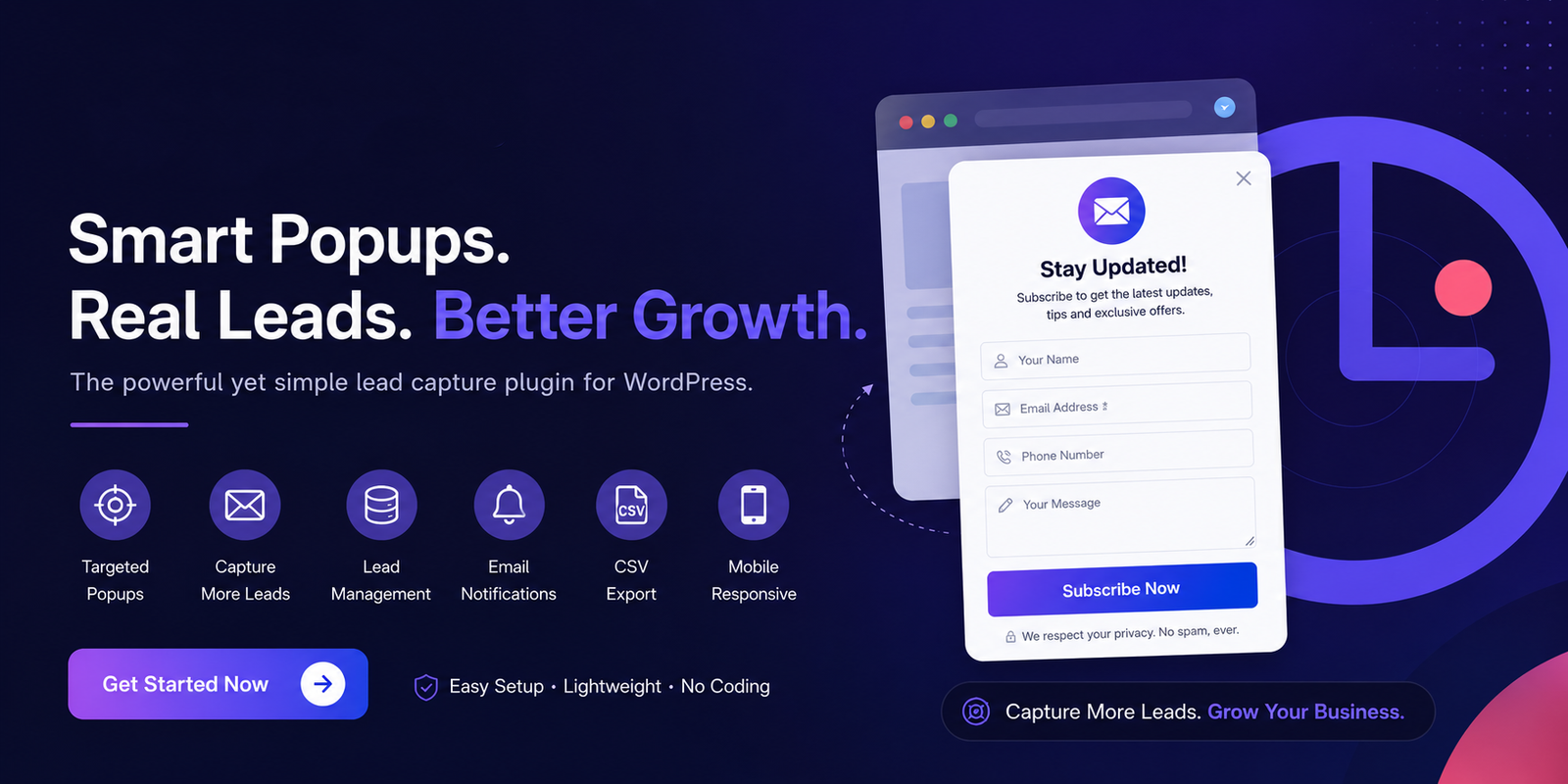
Gracewell LeadForge WordPress Popup Plugin : A Smarter Way to Capture More Leads
Most website visitors leave without ever telling you who they are — and that's the real cost of weak lead capture. The Gracewell LeadForge WordPress Popup Plugin was built to close that gap, turning anonymous traffic into a contact list you can actually follow up with.
Whether you run a blog, a service business, an agency, or an online store, converting visitors into leads requires the right combination of timing, design, and simplicity. In this review, we break down what Gracewell LeadForge does, how it works, who it's best suited for, and whether it deserves a spot on your WordPress site.

What Is Gracewell LeadForge?
Gracewell LeadForge is a WordPress lead generation plugin designed to capture visitor details — name, email, phone number, and message — through clean, on-brand popups. Instead of relying on disruptive pop-ups that drive people away, it uses smart timing, cookie suppression, and responsive design to keep the experience comfortable for visitors while still converting them into leads.
It's built for site owners who want a straightforward way to grow a contact list without learning a complex marketing platform. That makes it a practical fit for:
- Small businesses
- Marketing agencies
- Consultants and coaches
- Bloggers and content creators
- Freelancers
- eCommerce stores
- Local service providers
Key Features of Gracewell LeadForge
Easy Setup and Configuration
Installs and activates in minutes, fully managed from the WordPress dashboard — no coding required.
Customizable Lead Capture Fields
Choose from Name, Email, Phone, and Message fields to match your actual sales process.
Time Delay Trigger
Show the popup after a chosen delay to improve engagement and reduce bounce rates.
Cookie Suppression
Visitors who close the popup won't keep seeing it on every return visit.
Lead Management Dashboard
Every submission lands in one centralized place inside WordPress.
CSV Export
Export leads into a CRM, email tool, or spreadsheet in a few clicks.
Email Notifications
Instant alerts so a new lead never sits unnoticed.
Responsive Design
Popups adjust automatically across desktop, tablet, and mobile.
How Gracewell LeadForge Works
- Install and activate the plugin from your WordPress dashboard.
- Configure the popup settings to match your goals.
- Customize colors and branding to fit your site.
- Select which form fields to display.
- Choose your popup timing or trigger.
- Enable the popup on the pages you want.
- Start collecting and managing leads.
All submitted information is stored securely within your own WordPress database, giving you direct ownership of your lead data.
Benefits for Businesses
| Benefit | Description |
|---|---|
| Higher Lead Generation | Converts passive website visitors into prospects you can contact. |
| Better User Experience | Smart timing and cookie suppression prevent the popup from feeling intrusive. |
| Centralized Lead Storage | All inquiries live in one dashboard instead of scattered emails. |
| Marketing Integration | CSV export connects leads to your CRM or email campaigns. |
| Mobile Optimization | Consistent performance across every device type. |
Who Should Use Gracewell LeadForge?
This WordPress popup plugin works best for organizations that depend on website inquiries and ongoing customer engagement, including:
- Real estate companies
- Digital marketing agencies
- Healthcare providers
- Educational institutions
- Professional consultants
- Freelancers
- Online stores
How It Compares to Other WordPress Lead Generation Plugins
Many popup plugins lean heavily into complex marketing automation, which can mean a steeper learning curve. Gracewell LeadForge takes a different approach — prioritizing simplicity, speed, and ease of use over feature overload.
| Feature | Gracewell LeadForge | Typical Popup Plugins |
|---|---|---|
| Easy Setup | Yes | Varies |
| Lead Dashboard | Yes | Sometimes |
| CSV Export | Yes | Limited |
| Cookie Suppression | Yes | Varies |
| Mobile Responsive | Yes | Yes |
Related Marketing Resources
A lead capture plugin works best as part of a broader marketing strategy, not as a standalone fix. These resources can help you build on what Gracewell LeadForge captures:
- Content Marketing vs Paid Ads for Small Business Growth
- Best Productivity Apps for Remote Workers and Marketing Teams
Lead Generation Best Practices
Keep Forms Short
Ask only for the information you'll genuinely use. Every extra field is a reason for someone to abandon the form.
Use Clear Headlines
Tell visitors exactly what they get in exchange for their details — a discount, a guide, a callback, anything specific beats a vague "Subscribe Now."
Match Brand Colors
A popup that looks like it belongs on your site feels far less like an interruption than one that looks bolted on.
Monitor Conversion Performance
Review your lead data regularly and adjust timing, copy, or fields based on what's actually converting.
Follow Privacy Standards
Make sure your popup and data collection process comply with applicable privacy regulations in your region.
Expert Insight on Popups
🎯 Key Takeaways
- Gracewell LeadForge simplifies lead generation for WordPress websites.
- Customizable fields let you collect only the data that matters.
- Cookie suppression keeps the experience from feeling repetitive or pushy.
- A built-in lead dashboard removes the need for a separate CRM just to get started.
- CSV export supports integration with existing marketing tools.
- Responsive design ensures consistent performance on mobile traffic.
Frequently Asked Questions
Is Gracewell LeadForge free to use?
Yes. The plugin offers a free version that covers the essential lead generation features most small sites need.
Can I export leads to Excel?
Yes. Leads can be exported as CSV files, which open directly in spreadsheet software or import into most CRM platforms.
Does the plugin work on mobile devices?
Yes. The popup design is fully responsive and adjusts automatically across desktop, tablet, and mobile screens.
Can I customize popup colors and branding?
Yes. You can fully customize colors and styling so the popup matches your site's existing branding.
Where is my lead data stored?
All captured leads are stored securely within your own WordPress database, giving you full ownership and control over the data.
Download Gracewell LeadForge Plugin
Capture more leads, grow your email list, and convert website visitors into customers with Gracewell LeadForge. This lightweight WordPress popup plugin includes lead management, CSV export, email notifications, responsive design, and customizable popup forms.
Download Plugin NowConclusion
The Gracewell LeadForge WordPress Popup Plugin strikes a practical balance between usability, performance, and lead generation functionality. Its quick setup, customizable forms, built-in lead dashboard, and responsive design make it a solid option for businesses that want more inquiries without adding unnecessary complexity to their site.
If you're looking for a popup lead capture plugin that's easy to configure and genuinely useful for growing your contact list, Gracewell LeadForge is worth installing and testing on your own site today.

Recent Comments